Thursday, August 13, 2015

Error When Reinstalling DirSync

Today is just not my day! After a failed attempt at installing/configuring DirSync, I removed it and tried to install and configure again. This time did not prove any more successful. I was getting this error midway through the install process:


I was able to figure this out after a little while and wanted to sure what I learned. If you are seeing this error message after removing DirSync and trying to reinstall, here’s what you need to do:

• Uninstall Windows Azure Active Directory Sync tool and reboot


• Remove this directory and all subfolders: C:\Program Files\Windows Azure Active Directory Sync 


• If you created a domain account to use for DirSync, remove it. Also remove the Office 365 account you created.
• Delete the Group accounts that the DirSync wizard created. Their names all begin with “FIM”


• Uninstall MSSQL
• Delete the MSSQL directory: C:\Program Files\Microsoft SQL Server\
• Reboot!
• You should be able to install and configure DirSync now.


Wednesday, August 12, 2015

Failed to Mount Exchange 2010 Database

Recently, one of my users’ came to me and said he was missing two months worth of email. This was just after migrating to Exchange Online. We were using Exchange 2010 with System Center DPM for backups.


I restored the database that the users’ mailbox was on from a backup then copied it over to the Exchange server from the network share I restored it to. All was going well, until I tried to mount the darn thing.

I was getting this error and could not for the life of me decry-pt the meaning of it. There is obviously some type of IO issue/file not found. But what could it be?


I figured I’d better kick this one off with some basic troubleshooting. First, I checked the health of the database and made sure it was clean. Passed that test…


Then ran a repair on the database, to no avail.


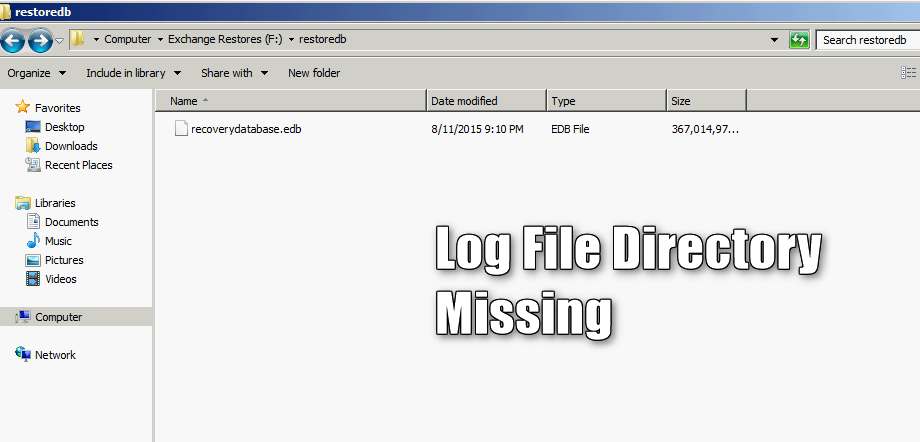
After racking my brain for a good thirty minutes, and a few failed Google searches, I found the solution. It was so simple! I created the log file directory in the folder with the database, and voila, the database mounted without a single error!


I was able to see the ‘supposed’ location of the log file by opening the Exchange Management Shell and running the ‘Get-MailboxDatabase’ cmdlet, like so:
Get-MailBoxDatabase –Identity <Recovery DB Name> | FL Name, ServerName, EDBFilePath, LogFolderPath


I’m not sure why the database mounting process isn’t capable of creating the log file directory… I think Microsoft would have thought and planned for a situation like this. Hope this helps!

Sunday, March 8, 2015

Ping Sweeping with FPing

I generally use NMAP for any type of host discovery, but recently started experimenting with FPing. One thing I found is that, when performing a ping sweep, not only do I see the hosts that replied to the ping, but FPing also sends any unreachable IP addresses to stdout (which is super annoying and ugly if you ask me...).


Anyway, after a bit of research, I found a nifty way to suppress these messages. Linux allows us to redirect all error messages to /dev/null. So instead of just running the vanilla fping -a -g.... you would run the program and output all error messages /dev/null, like so: